Digital Accessibility
Inclusive journeys across ability, language, device and confidence
The complete task must be usable
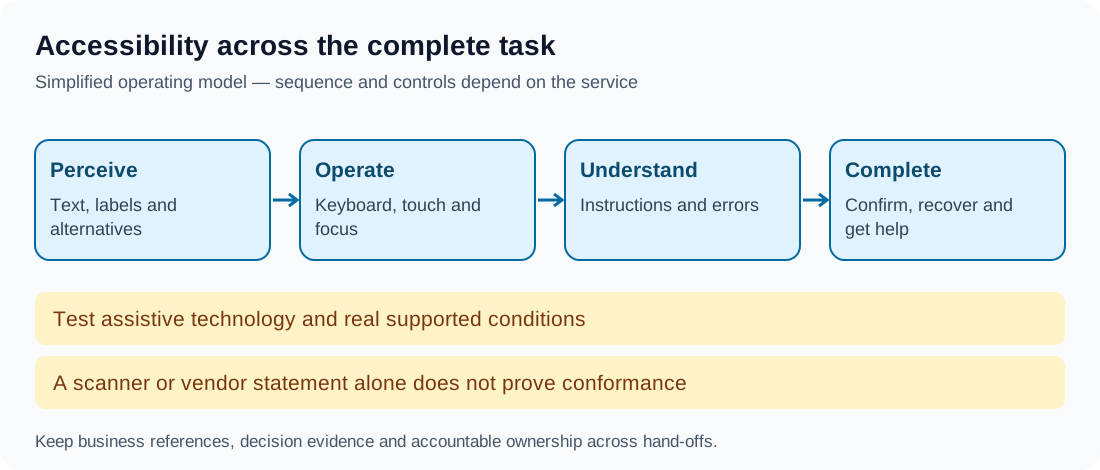
Digital accessibility helps people perceive, operate and understand a service with different abilities and assistive technologies. Inclusive design also considers language, literacy, connectivity and confidence. These concerns overlap, but a translated page or fast download alone does not establish accessibility.
Assess complete tasks: starting and confirming a payment, managing credentials, reading a statement, disputing a transaction and obtaining help. An accessible marketing page does not compensate for an inaccessible confirmation or recovery step.
Standards and legal scope
WCAG 2.2 is a technical web-accessibility standard with A, AA and AAA conformance levels. Applicable laws, procurement requirements and platform guidance determine what is required for a particular service. Do not claim that every country's banking law requires the same WCAG version and level.
Relevant checks include semantic labels, meaningful headings, keyboard access, visible focus, contrast, zoom and understandable error information. The standard also addresses financial-error prevention and accessible authentication. These criteria have specific conditions and exceptions; a simplified checklist is not a conformance certificate.
Controls that survive assistive technology
Give inputs programmatic names and announce important status changes appropriately. Preserve logical focus order and return focus after dialogs. Avoid colour-only status and provide text alternatives for useful images. A financial diagram should also have an explanation that does not rely solely on seeing it.
Authentication should support accessible mechanisms and appropriate alternatives. Prevent unnecessary barriers such as blocking useful password tools or requiring a person to transcribe information in an unsupported way. Maintain the required security assurance; assistance does not mean disclosing secrets to helpers.
Language, device and assistance
Use plain instructions and explain unfamiliar financial terms. Test translations at the actual task and legal-disclosure level, not just individual labels. Low bandwidth and older supported devices should not produce misleading status or repeated payments.
Provide an appropriate assisted route for customers unable to complete the normal path. Distinguish someone helping with navigation or translation from an authorised account operator. Obtain and enforce any relevant mandate before allowing a helper to act on the customer's money.
Worked example: an obscured confirmation
In this fictional banking site, a fixed footer covers the confirmation control when a customer zooms and uses the keyboard. The screen works at the designer's default viewport but the customer cannot see where focus has moved.
The team adjusts layout and focus behaviour, then tests the complete payment review and confirmation with relevant assistive technology. It checks mobile and browser states, including validation errors. An automated scanner alone would not prove the repaired journey works for the affected customer.
Testing and procurement
Combine automated checks, manual keyboard and screen-reader testing, and research with people who use relevant assistive technologies. Test representative supported conditions and document remaining issues, severity, owner and remediation. Sample third-party components and documents as part of the customer's actual journey.
Evaluate vendor accessibility evidence and contract support for fixes. A vendor declaration is useful input, not evidence that the integration is accessible. Recheck significant releases and monitor accessibility feedback, abandonment and repeat assistance.
Takeaway
Accessibility is demonstrated by usable tasks across relevant conditions. Technical standards, real-user testing and controlled assistance should work together, with legal claims scoped to the applicable service.
Continue to Customer Support in Digital Banking.